
Flattening AUTOSAR 4.x .arxml to .dbc & MISRA-Friendly C99 Codecs Offline
OEM AUTOSAR .arxml network extracts routinely span tens of megabytes of deeply cross-referenced XML elements — making code review, HIL log decoding, and embedded C struct generation painful without heavy proprietary toolchains.
1. The 5-Hop AUTOSAR .arxml Reference Chain
To reconstruct a single flat CAN signal from an AUTOSAR 4.x extract, a parser must join five decoupled XML entities by SHORT-NAME path:
CAN-FRAME-TRIGGERING→IDENTIFIER,CAN-ADDRESSING-MODE(STANDARD11-bit vs.EXTENDED29-bit), andCAN-FD-FRAME-SUPPORT.CAN-FRAME→FRAME-LENGTH(DLCup to64bytes) andPDU-TO-FRAME-MAPPING.I-SIGNAL-I-PDU→I-SIGNAL-TO-PDU-MAPPINGS(START-POSITION&PACKING-BYTE-ORDER).I-SIGNAL/SYSTEM-SIGNAL→ bitLENGTH, base integer/float type, and unit reference.COMPU-METHOD→COMPU-RATIONAL-COEFFSlinear scaling (phys = raw * factor + offset) andTEXTTABLEenum states.
2. Zero-Dependency Embedded C99 Pack/Unpack Header Generation
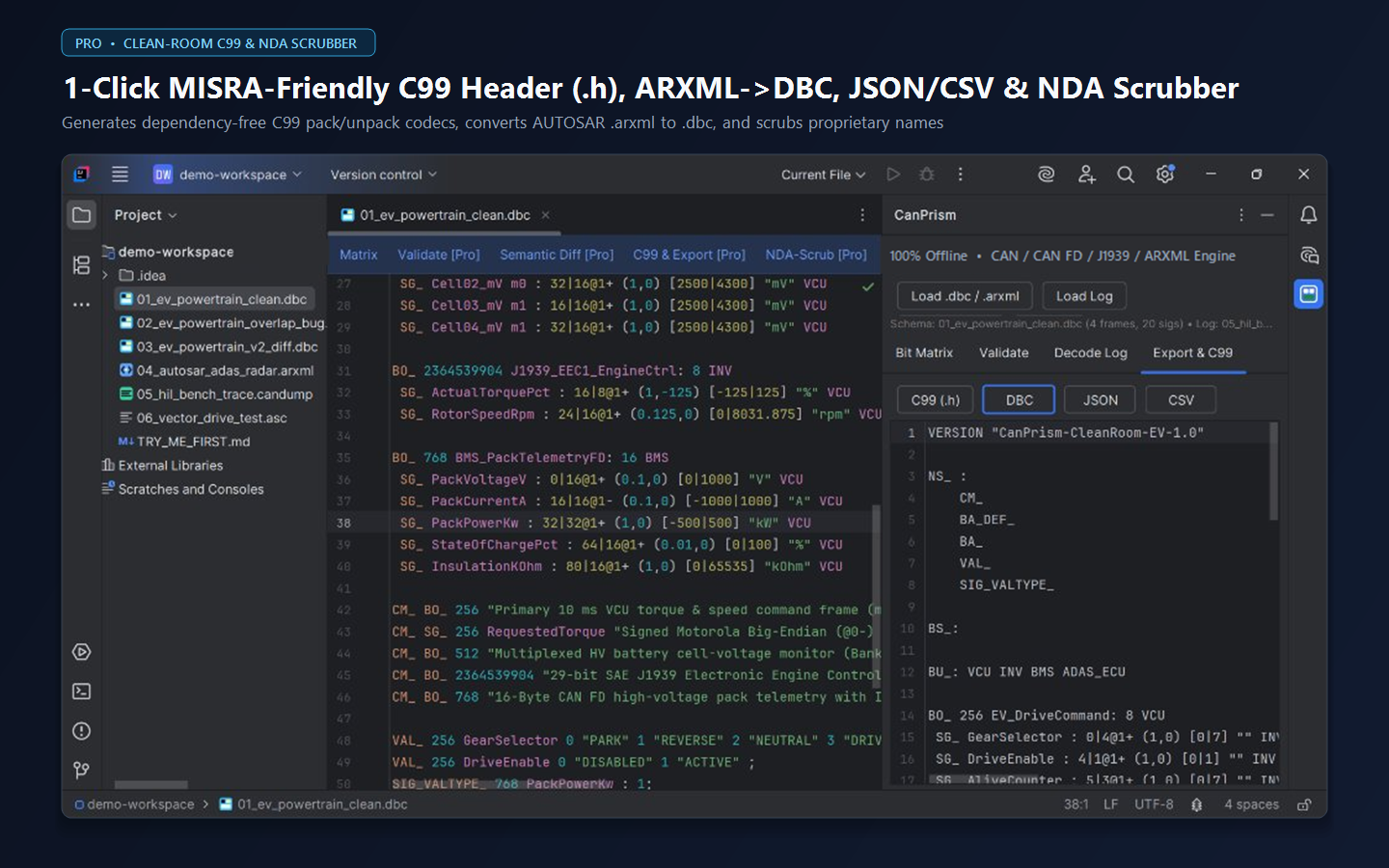
In CanPrism (Export & C99 tab), clicking C99 (.h) or DBC flattens any .dbc or .arxml schema 100% offline into either a canonical Vector .dbc file or a self-contained <stdint.h> header with sign-extension-safe bit extraction and physical scaling helpers.
Frequently Asked Engineering Questions
Can CanPrism diff two AUTOSAR .arxml versions without thousands of UUID line conflicts?
Yes. Pressing Alt+Shift+B or Ctrl+D runs Semantic Network Diff, which flattens both .arxml files by CAN ID and bit layout while ignoring XML UUIDs, timestamps, and element ordering.
Inspect, Validate, Diff, Decode & Scrub CAN / AUTOSAR Offline in Your JetBrains IDE
Never paste OEM NDA .dbc or AUTOSAR .arxml signal matrices into browser viewers. CanPrism DBC ARXML Viewer runs 100% air-gapped inside CLion, PyCharm, RustRover, IntelliJ IDEA, Rider, DataGrip, GoLand, and WebStorm with a forever-free core tier and a 14-day [Pro] trial.